Listen to Your Saved Content
Use the powerful Listen to Your Saves feature from Folio Reader that allows you to listen to your content when you don't prefer to read 😃!
🎵 How to Listen to My Saves?
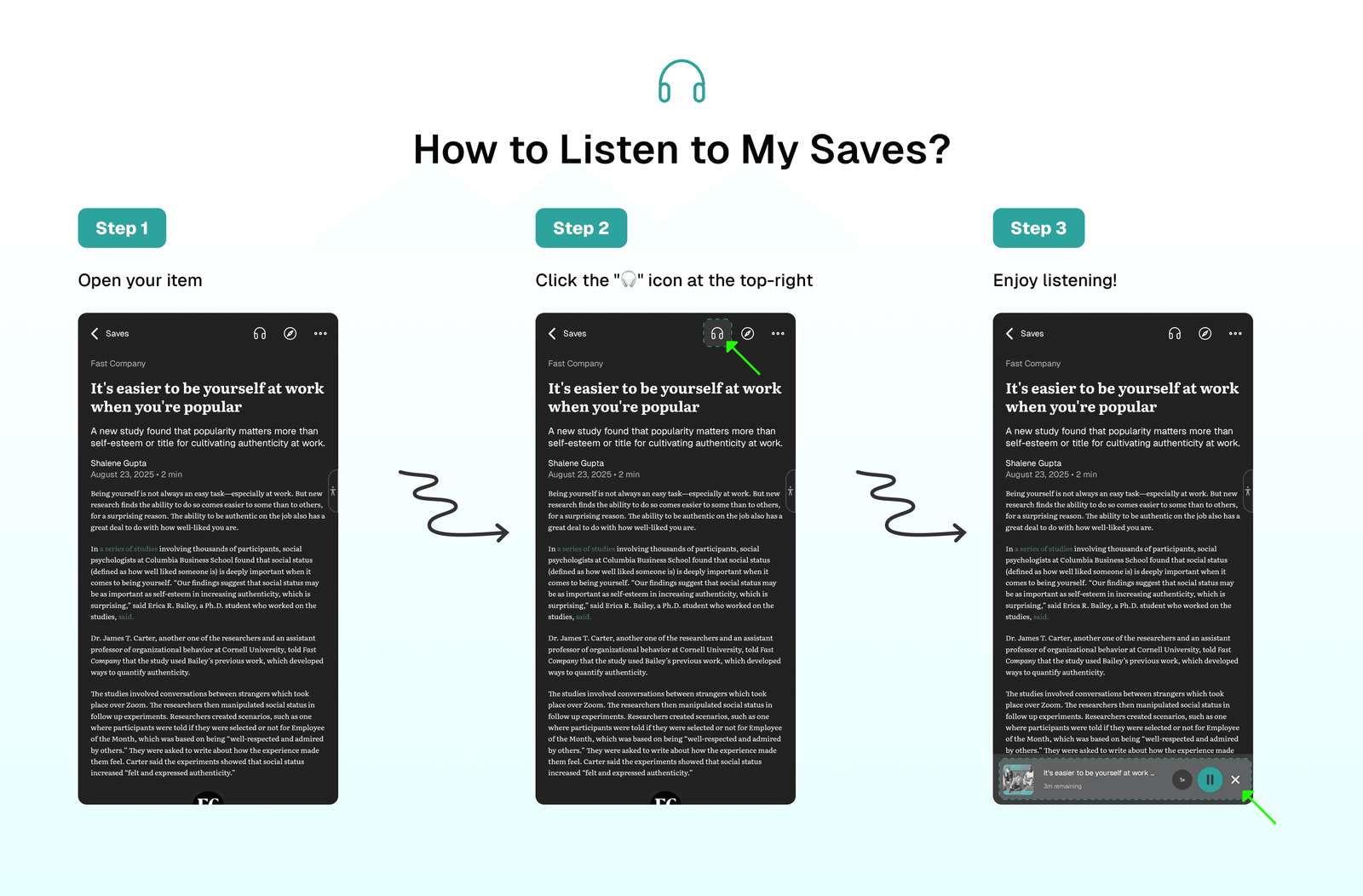
Listen to Your Saves feature is available in Folio Reader. To listen to any saved content: Open your item → Click the "🎧" icon at the top-right → Enjoy listening!
🎶 Playback Controls
Tip
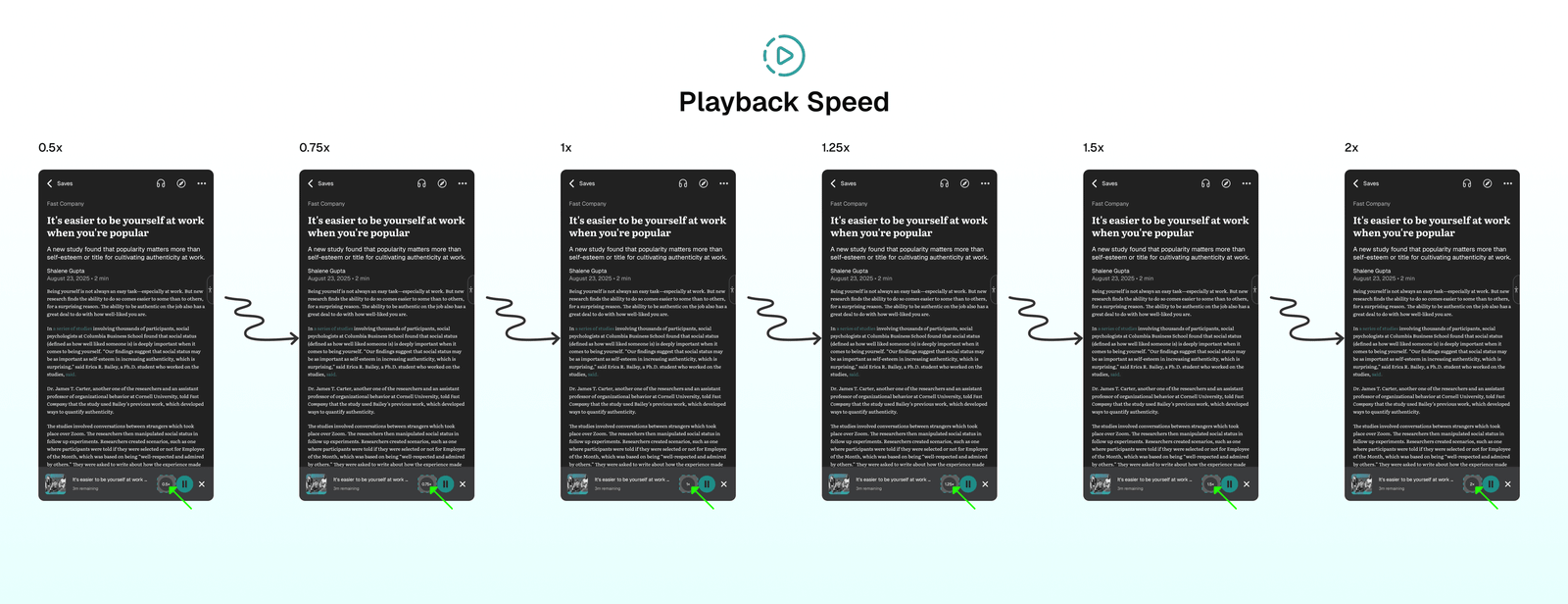
Folio Reader provides playback controls while listening to your selected save, allowing you to Play & Pause and adjust Speed (0.5X, 0.75X, 1X, 1.25X, 1.5X, and 2X).
⏯️ Play & Pause
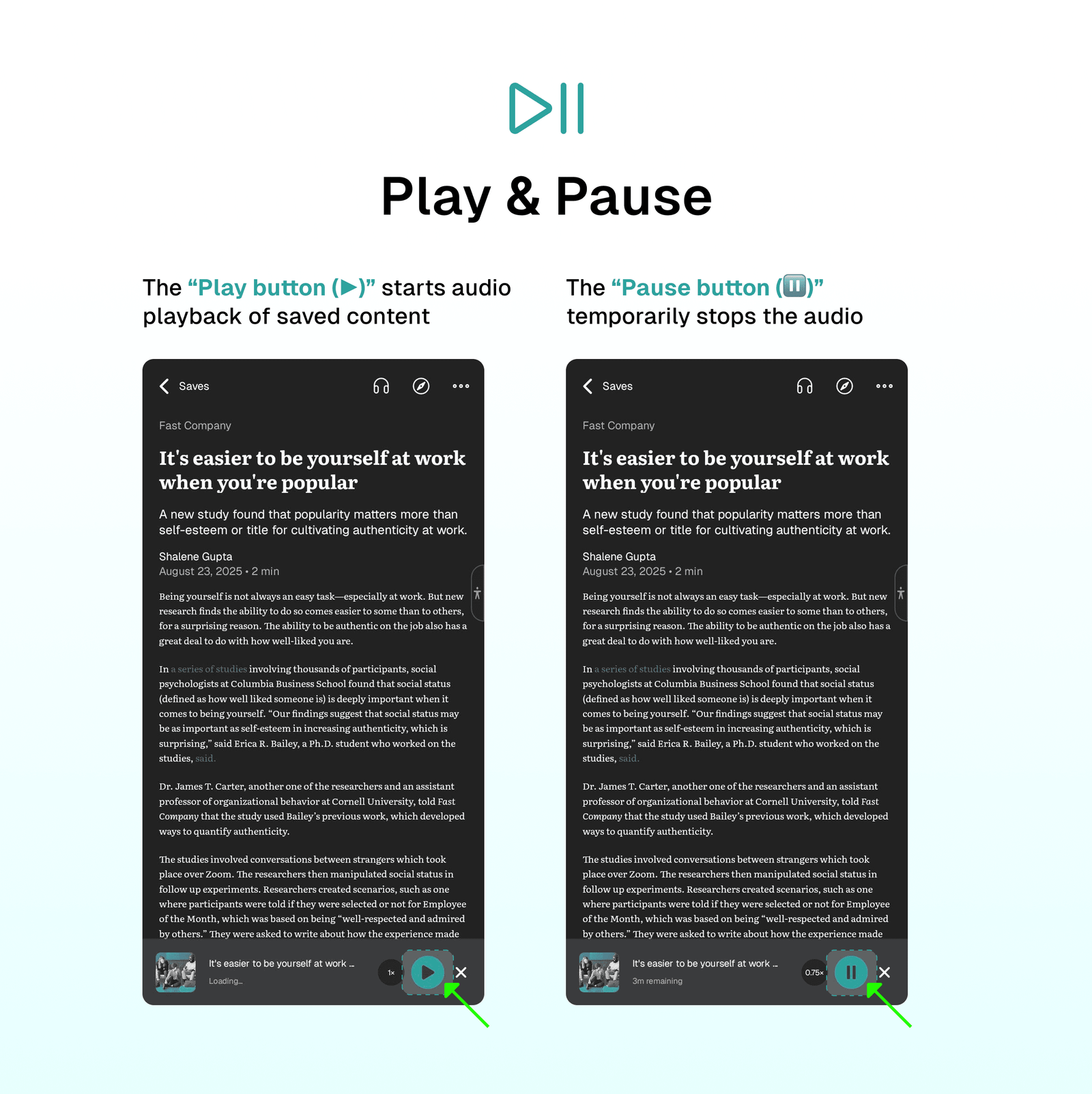
While listening to your save, the playback controls remain visible at the bottom, allowing you to read or navigate to any page while listening.
The Play button (▶️) starts audio playback of saved content, while the Pause button (⏸️) temporarily stops the audio without closing the playback session, allowing users to resume listening from the same position later.
⏩ Playback Speed
The playback speed feature lets you adjust how quickly audio content plays. Multiple speed options (0.5X, 0.75X, 1X, 1.25X, 1.5X, and 2X) are available, allowing you to customize your listening experience based on your personal preference.
⁉️ FAQs
Last updated on
Understanding the Folio Reader
Learn how to manage and organize your saves with the powerful Folio Reader features.
Folio Reader Tabs
Leverage the power of Folio Reader tabs to organize and manage all your content in one place. Folio Reader has tabs that allow you to focus on what you need to read more quickly and easily.