📖 Folio Reader
Customize Display Settings
Discover how to personalize your Reader with custom fonts, typography settings, reading space adjustments, and display options.
🔤 Choose Custom Fonts and Sizes
🔠 Available Reader Fonts
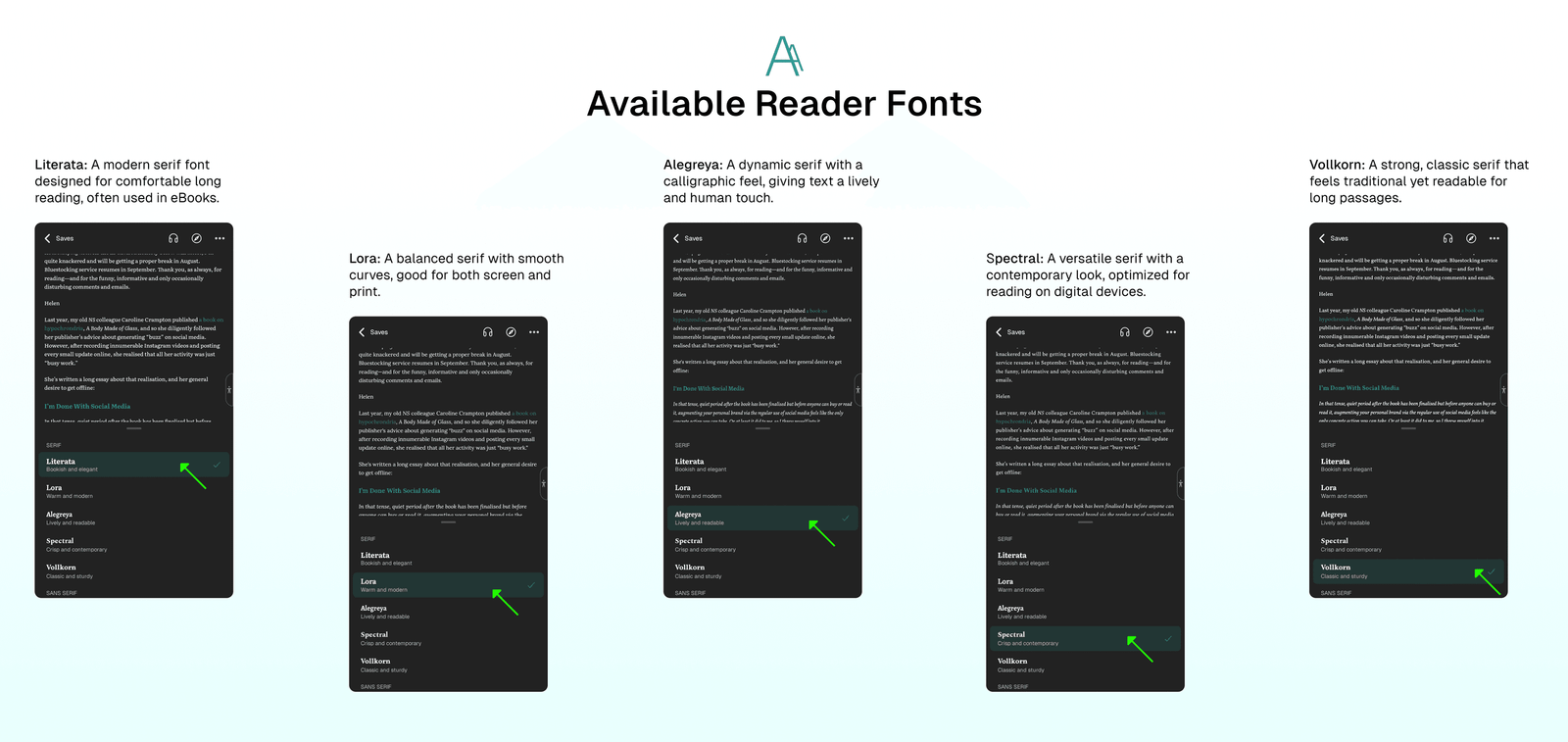
Choose your preferred font from these options:
- Literata: A modern serif font designed for comfortable long reading, often used in eBooks.
- Lora: A balanced serif with smooth curves, good for both screen and print.
- Alegreya: A dynamic serif with a calligraphic feel, giving text a lively and human touch.
- Spectral: A versatile serif with a contemporary look, optimized for reading on digital devices.
- Vollkorn: A strong, classic serif that feels traditional yet readable for long passages.
🔭 Customize Reader Font Size
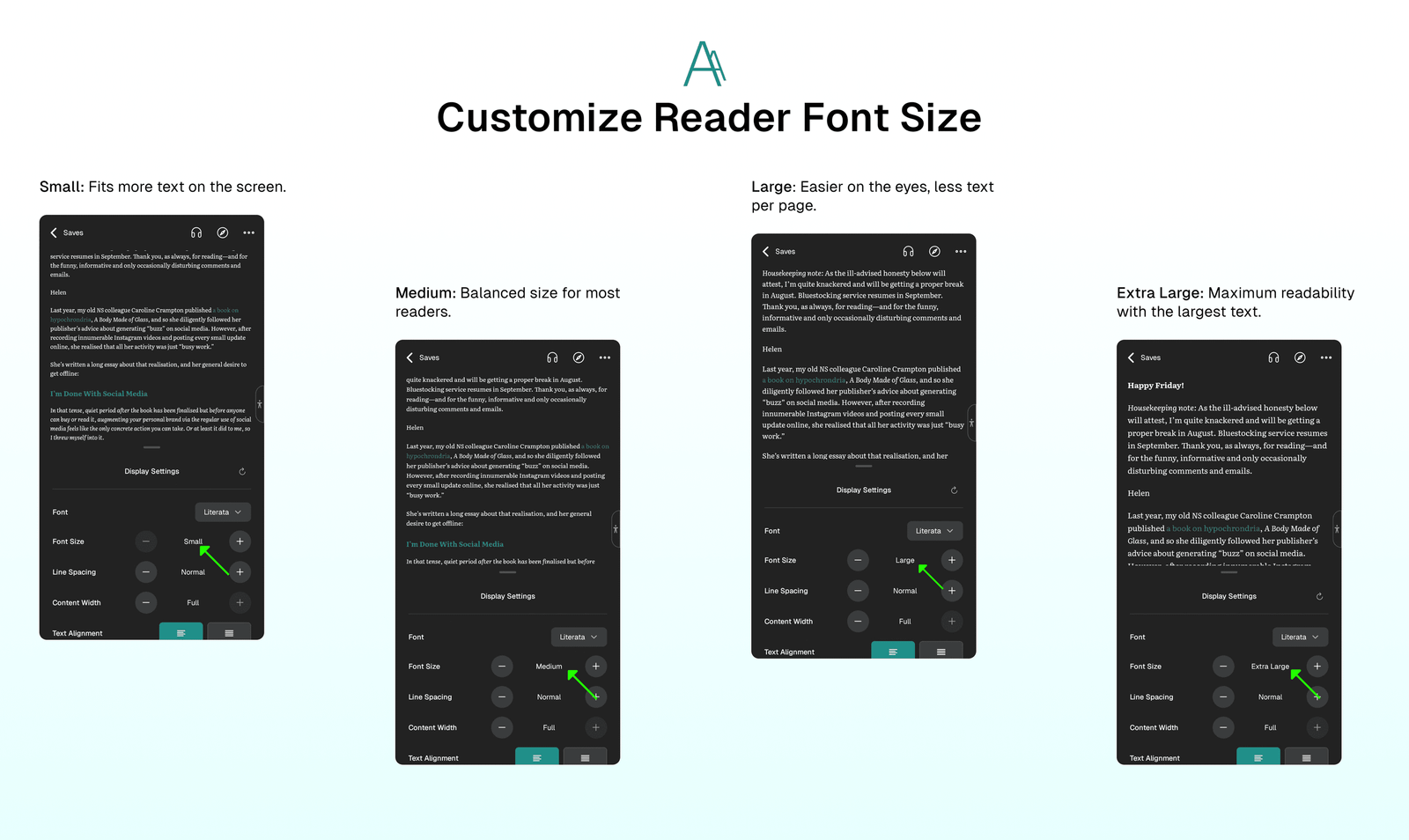
You can adjust the text size for comfortable reading:
- Small: Fits more text on the screen.
- Medium: Balanced size for most readers.
- Large: Easier on the eyes, less text per page.
- Extra Large: Maximum readability with the largest text.
〰️ Control Typography Settings
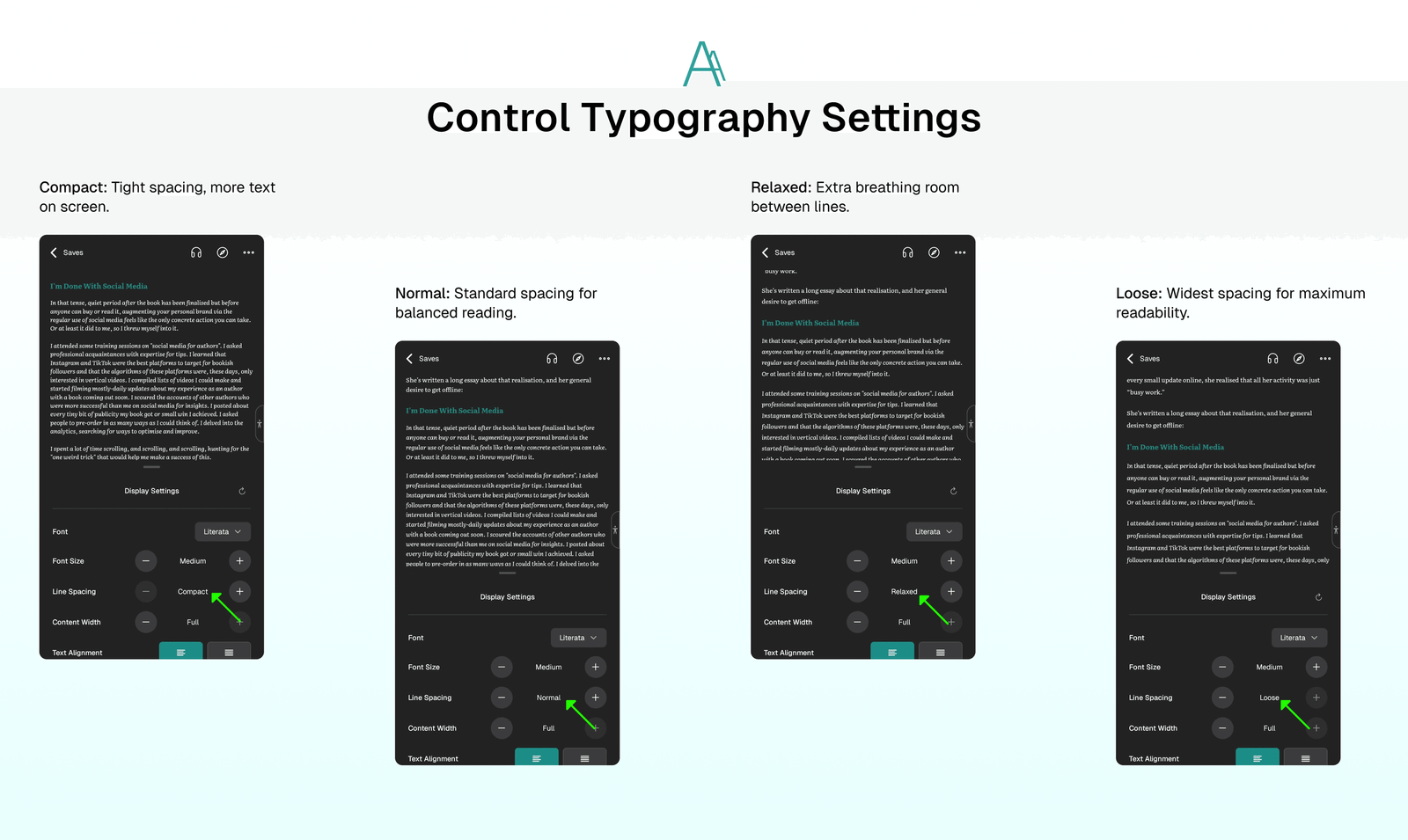
Adjust line spacing to match your reading comfort:
- Compact: Tight spacing, more text on screen.
- Normal: Standard spacing for balanced reading.
- Relaxed: Extra breathing room between lines.
- Loose: Widest spacing for maximum readability.
📖 Adjust Reading Spacing
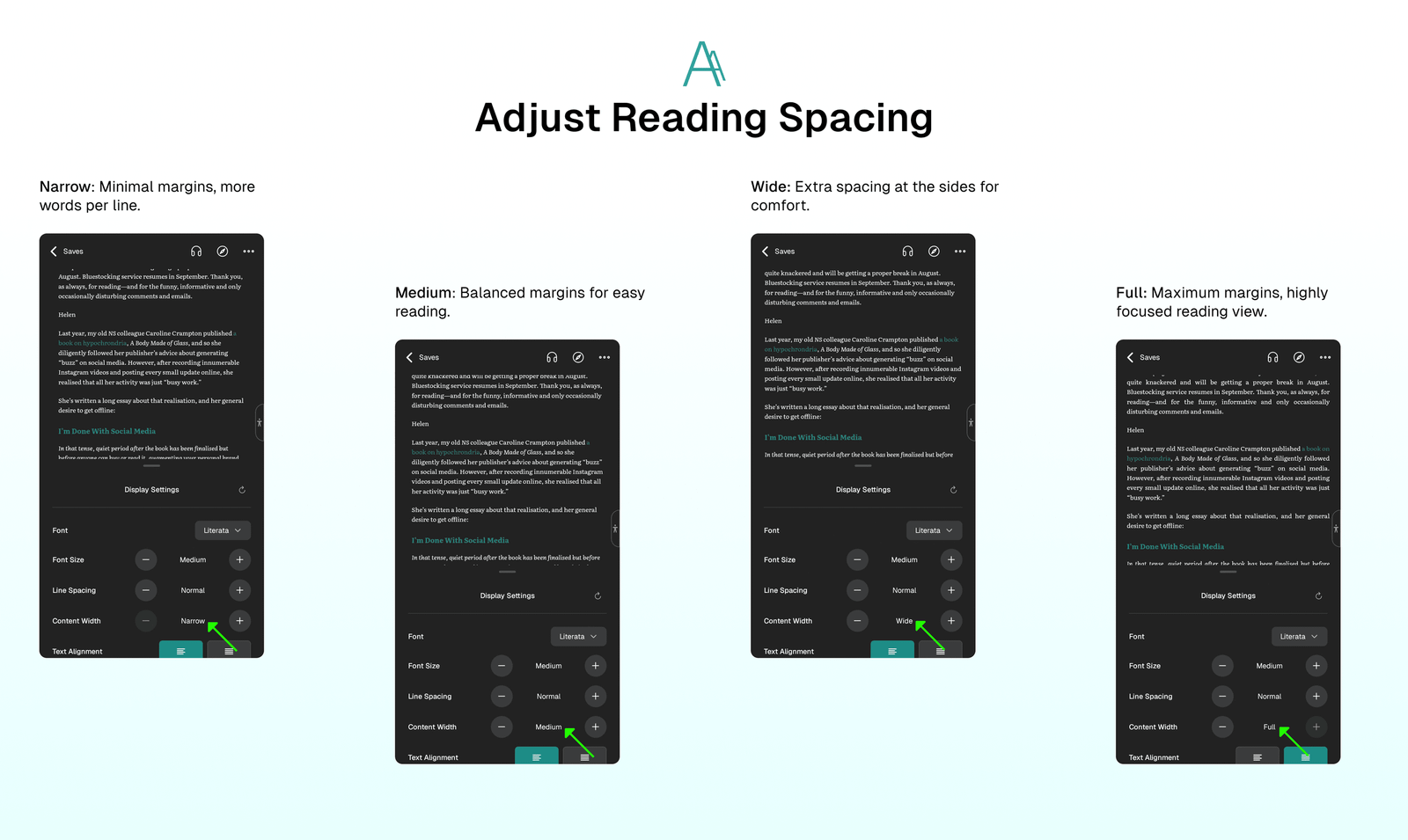
Control the margins around your text:
- Narrow: Minimal margins, more words per line.
- Medium: Balanced margins for easy reading.
- Wide: Extra spacing at the sides for comfort.
- Full: Maximum margins, highly focused reading view.
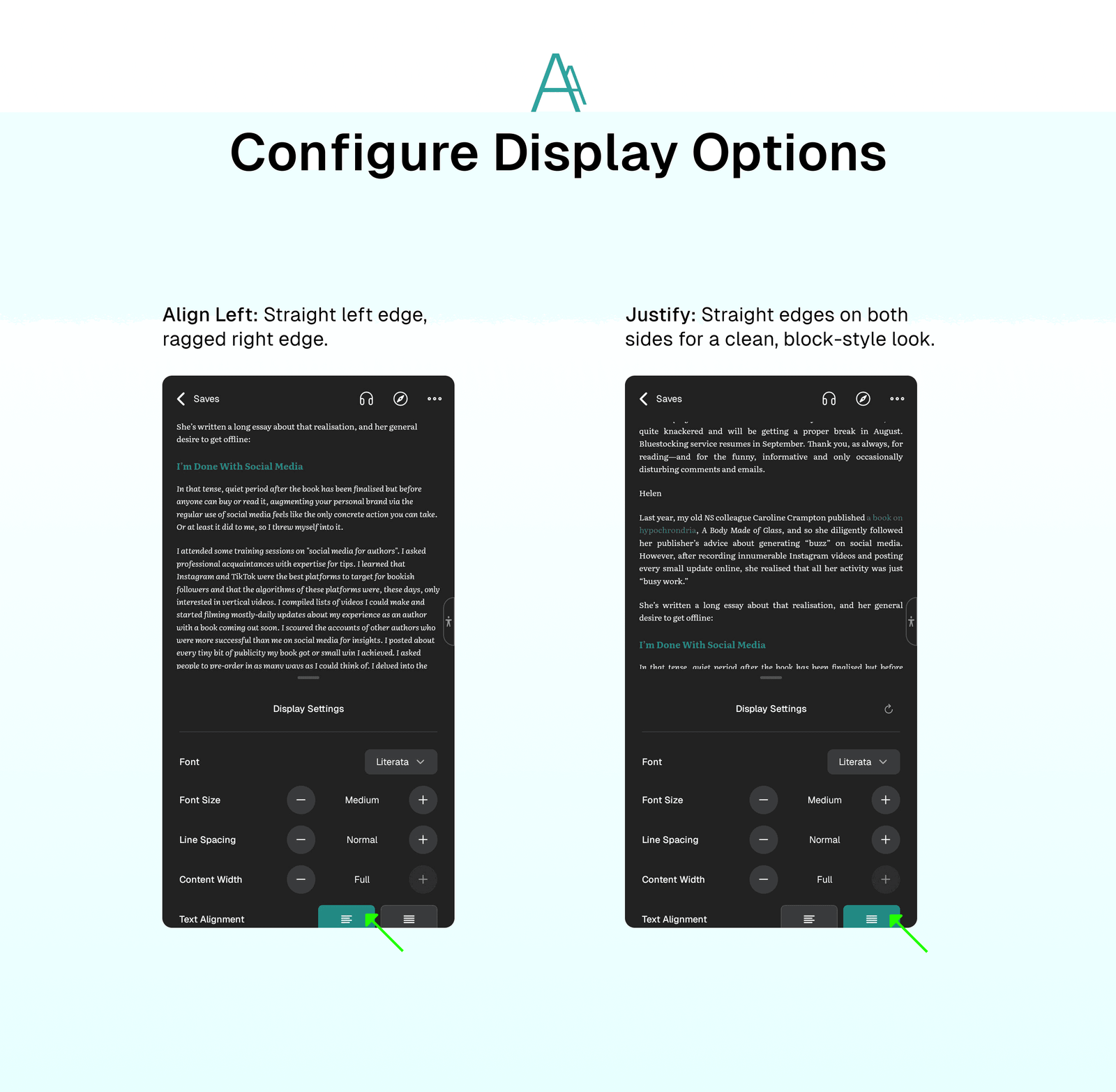
🖥️ Configure Display Options
Choose how text is aligned on the page:
- Align Left: Straight left edge, ragged right edge.
- Justify: Straight edges on both sides for a clean, block-style look.
⁉️ FAQs
Last updated on