👤 My Account
Delete My Account
Folio offers an option to delete both your information and your account.
How to Delete Your Account
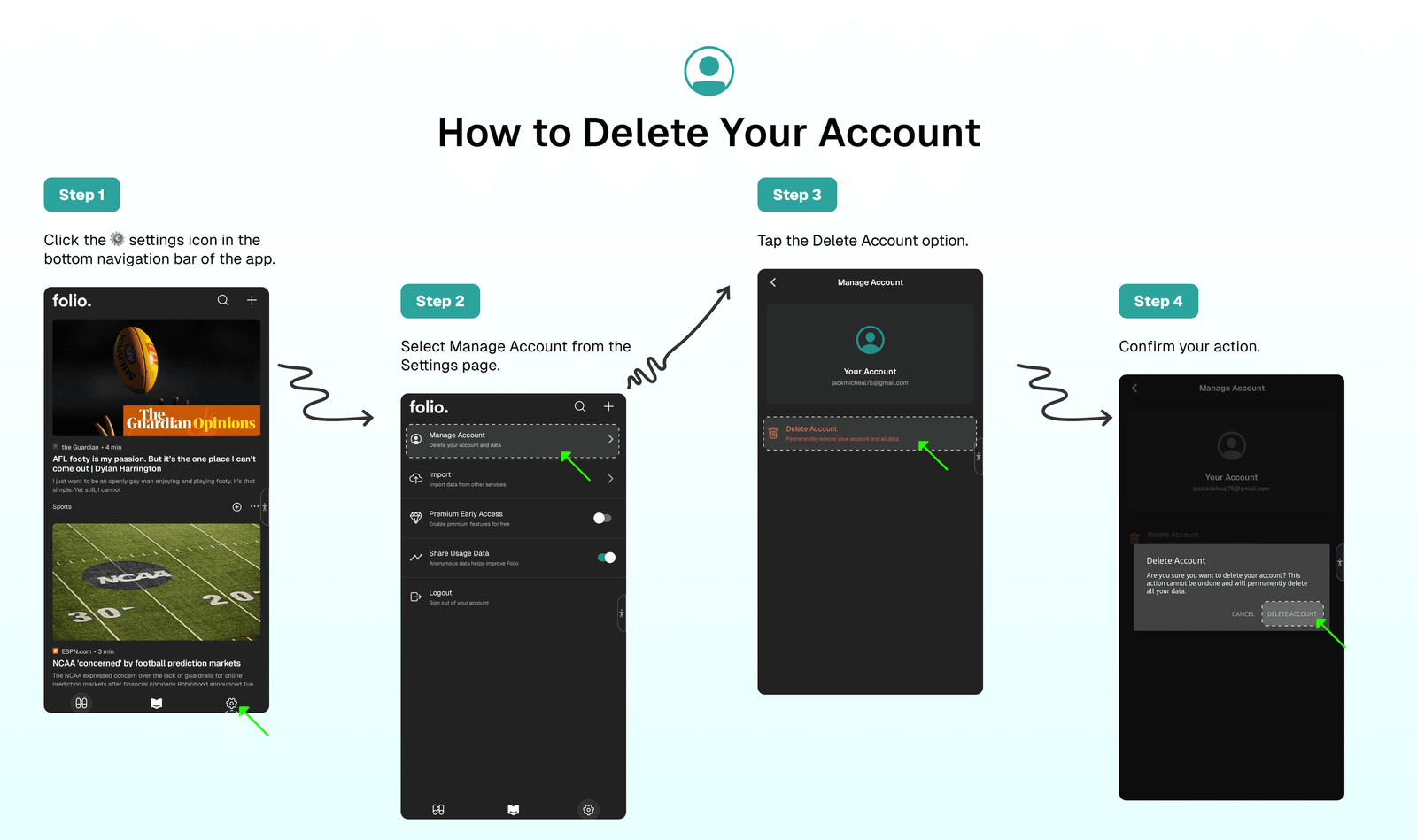
To delete your account:
- Click the ⚙️ settings icon in the bottom navigation bar of the app.
- Select
Manage Accountfrom the Settings page. - Tap the
Delete Accountoption. - Confirm your action.
Warning
Deleting your account is irreversible. All your data will be permanently removed and cannot be recovered. Please ensure you have backed up any important information before proceeding with account deletion.
⁉️ FAQs
Last updated on