👤 My Account
My Account
Discover how to effectively manage your account through personal details updates.
Managing Your Account
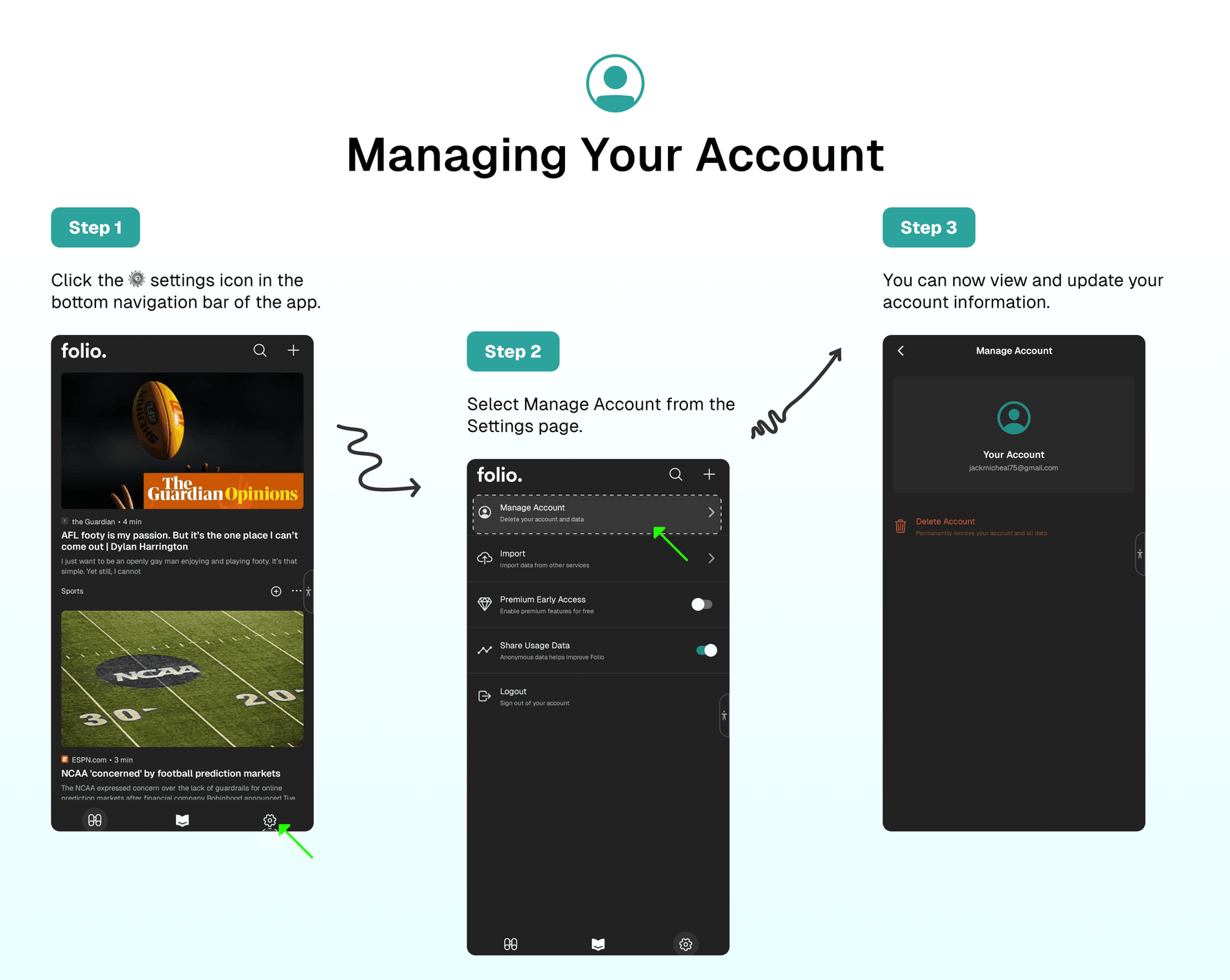
To manage your account:
- Click the ⚙️ settings icon in the bottom navigation bar of the app.
- Select
Manage Accountfrom the Settings page. - You can now view and update your account information.
Tip
Ensure to save any changes you make to your account information before exiting the page.
⁉️ FAQs
Last updated on