🔍 Folio Discover
Open in Browser
Learn how to open content from Folio Discover in your browser to view the original source.
🧭 How to Open Folio Discover Items in Your Browser
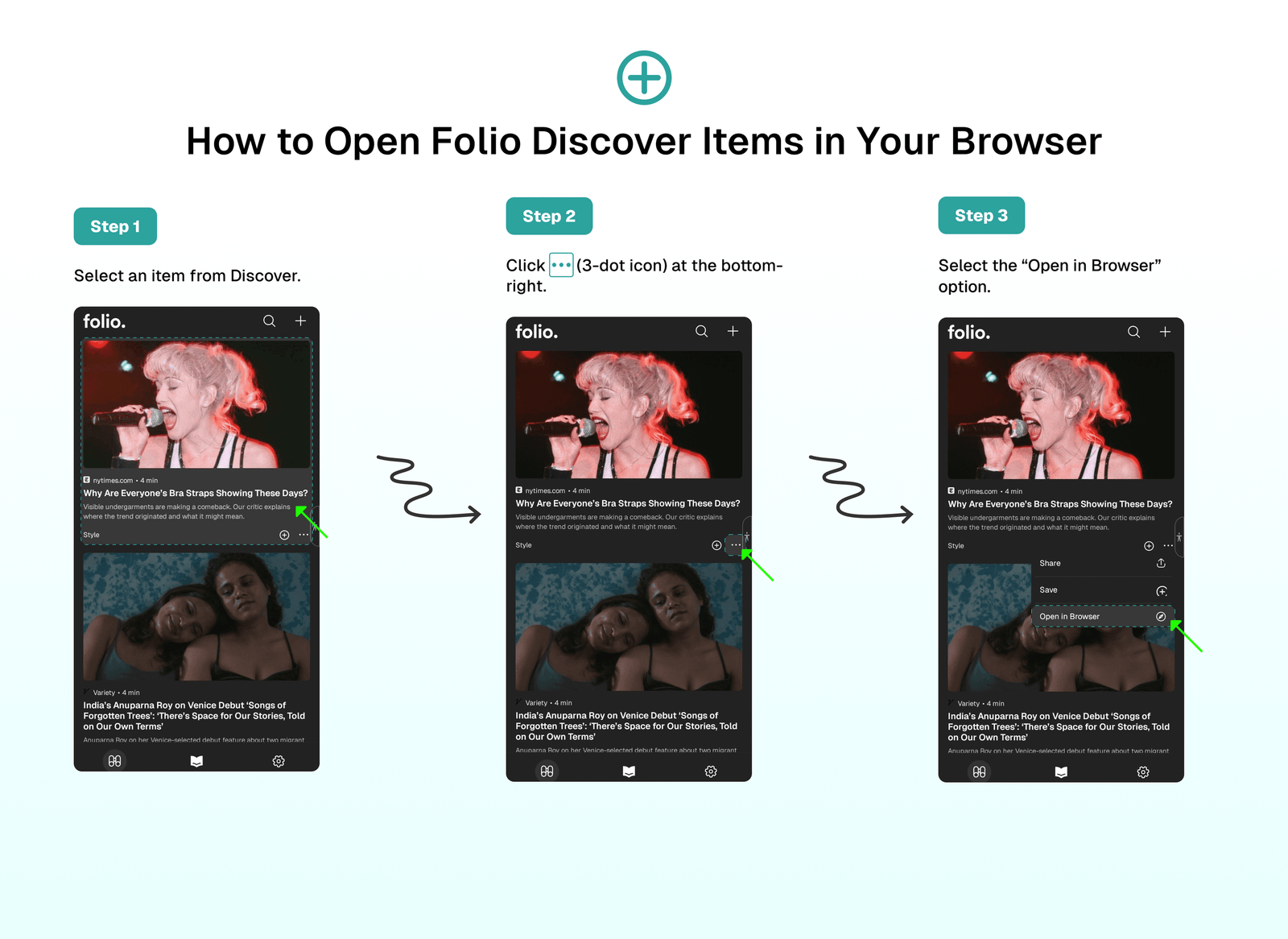
With Folio Discover, you can view the original content by opening it in your browser. To do this:
- Select an item from Discover.
- Click
...(3-dot icon) at the bottom-right. - Select the
Open in Browseroption.
⁉️ FAQs
Last updated on