🚀 Getting Started
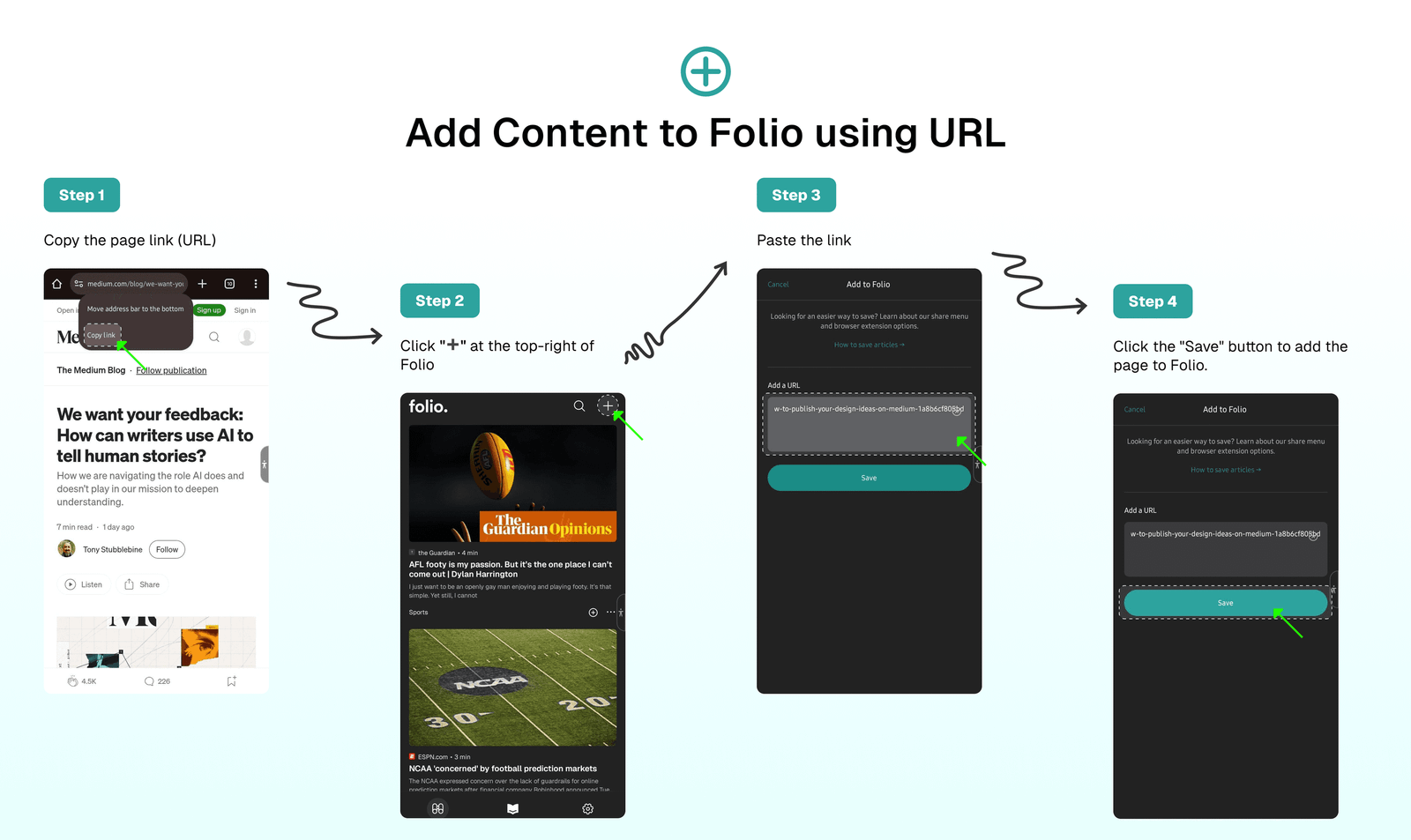
Add Content to Folio Using URL
Save content to Folio by adding the URL link) of any article.
➕ How to Add Content to Folio Using a URL
You can add any page to Folio by doing this steps:
- Copy the page link (URL) → Click "➕" at the top-right of Folio → Paste the link → Click the "Save" button to add the page to Folio.
⁉️ FAQs
Last updated on